VMD and c2x
The natural environment of VMD is displaying molecules, so this example considers the π bond of ethene.
VMD accepts volumetric data in the Gaussian cube format, such as that obtained from:
$ c2x -b=6 --cube ethene.check ethene.cube
(It will not read gzipped cube files, but the impatient can download ethene.cube.gz and unzip it.)
Then VMD can be started with
$ vmd ethene.cube &
One then needs to work with the Graphics, Representations menu to produce three representations: a CPK rendering of the molecule, an isosurface at +0.3, and an isosurface at -0.3.
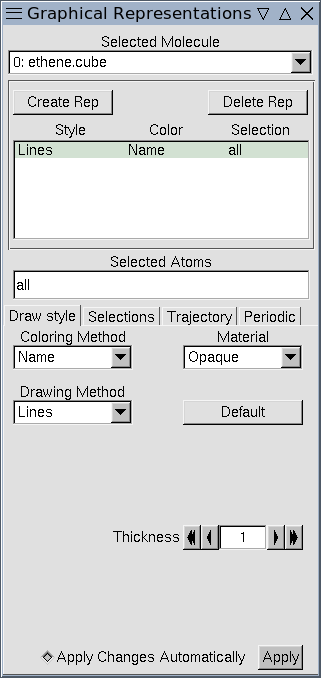
Firstly change "Drawing Method" to "CPK" to form a ball-and-stick molecule. Then click "Create Rep" and choose a "Drawing Method" of "Isosurface". One then needs to set the isosurface value (0.3), the colouring method (ColorID, 1 (red)), the "Draw" method (Solid Surface) and adjust "Show" (Isosurface).
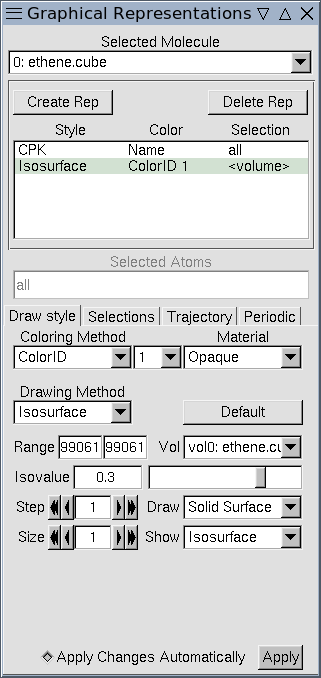
Then click "Create Rep" again (which clones the existing representation), and change the isosurface value (to -0.3) and ColorID (to 0 (blue)). Finally one simply needs to rotate the displayed image a little.

There are lots of options for fine-tuning the rendering.